

API keys
API keys are necessary for your Fingerprint setup. Primarily to be able to identify visitors and generate visitor IDs, but also interact with other Fingerprint APIs and features. To manage API keys, go to Dashboard > API keys.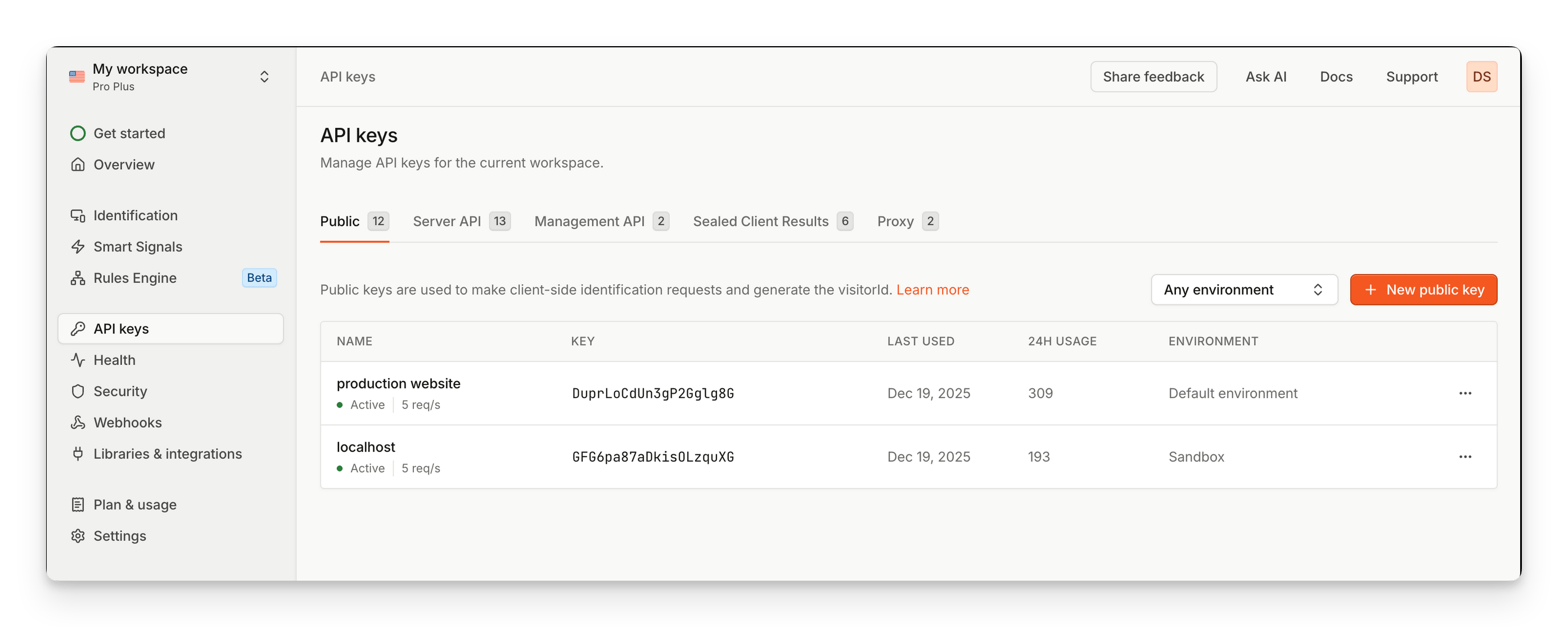
To monitor API key usage, throttling, and latency, see API key monitoring.
Request filtering
Request filtering is a feature that enables you to filter out unwanted identification requests using specific rules. On the Dashboard, you can manage filtering rules by adjusting which events should be allowed or denied. To learn more information, see request filtering. To manage webhooks, go to Dashboard > Security.Webhooks
Webhooks allow you to receive an HTTP request to your server with Fingerprint results for every identification event the moment it happens. On the Dashboard, you can manage webhooks and monitor their activity. To learn more information, see webhooks. To manage webhooks, go to Dashboard > Webhooks. To inspect webhook delivery attempts and diagnose failures, see Webhook monitoring.Custom subdomains
By using a custom subdomain, Fingerprint cookies are treated as “first-party”, which increases identification accuracy while also allows you to avoid ad blockers. On the Dashboard, you can register your subdomains and manage their certificates. To learn more information, see Custom subdomain setup. To manage subdomains, go to Settings > Subdomains.Proxy integrations
Proxy integrations are an alternative to custom subdomains, they allow you to proxy requests to Fingerprint through your own domain. Our cookies are treated as “first-party”, which increased identification accuracy while allowing you to avoid ad blockers. On the Dashboard, you can setup proxy integrations and monitor their status and activity. To learn more information, see Evading ad blockers with proxy integrations. To manage proxy integrations, go to Dashboard > Libraries & integrationsSuspect Score
Suspect Score is an easy way to integrate Smart Signals into your fraud protection workflow. It is a weighted representation of all Smart Signals present in the payload that helps identify suspicious activity. On the Dashboard, you can configure the weights for suspect scoring by adjusting for each detected Smart Signal. To learn more information, see Suspect Score. To manage suspect score weights, go to Dashboard > Smart Signals > Suspect ScoreViewing analytics