

Activity overview
The audit log lives on the Activity page in Settings. To check it out, visit Dashboard > Settings > Activity. The Activity page is only accessible to team members with the admin role.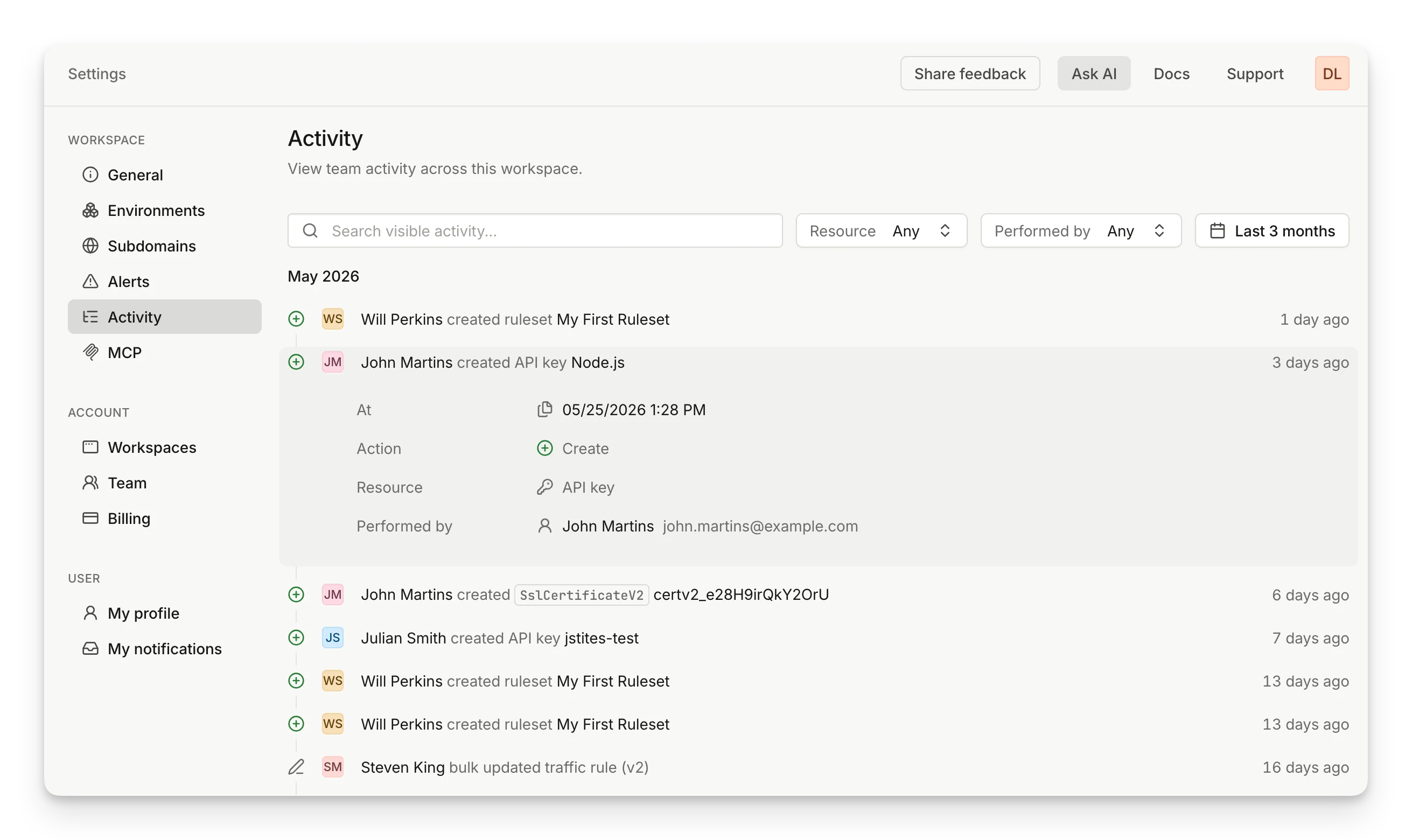
- Who performed the action - a team member or an automated system action.
- What was done - the action taken and the resource affected.
- When it happened - relative to now.
Inspecting an event
Click an event to expand it and see the full details:- At - the exact timestamp.
- Action - the type of change (Create, Update, Delete, etc.).
- Resource - the resource type that was affected (API key, Ruleset, Webhook, Environment, etc.).
- Performed by - the user (with email) or system that initiated the change.
Filtering
To find specific events, use the filters at the top of the Activity page:- Search - full-text search across event descriptions, resource names, and performer names.
- Resource - filter by resource type.
- Performed by - filter by a specific team member or system source.
- Date range - narrow the time window down to a specific window of dates and times.