

Cloudflare Web Application Firewall
- You are limited to 5 WAF custom rules on the Cloudflare free plan.
- This guide uses the Cloudflare dashboard to create WAF custom rules manually. You can also create and modify custom rules programmatically using the Cloudflare API.
1. Find the worker route
The JavaScript agent v4 uses a single worker route for all requests to Fingerprint servers. The easiest way to find your route is from the JavaScript agent configuration snippet on SDKs & integrations > Cloudflare:- Go to SDKs & integrations > Cloudflare in the Fingerprint dashboard.
- Find the JavaScript agent configuration snippet.
- Copy the
WORKER_PATHpart from theendpointsvalue.
https://yourwebsite.com/icXhT6JSJ2MhAdk6/?region=us, then your worker route to protect is /icXhT6JSJ2MhAdk6*.
2. Create a firewall rule
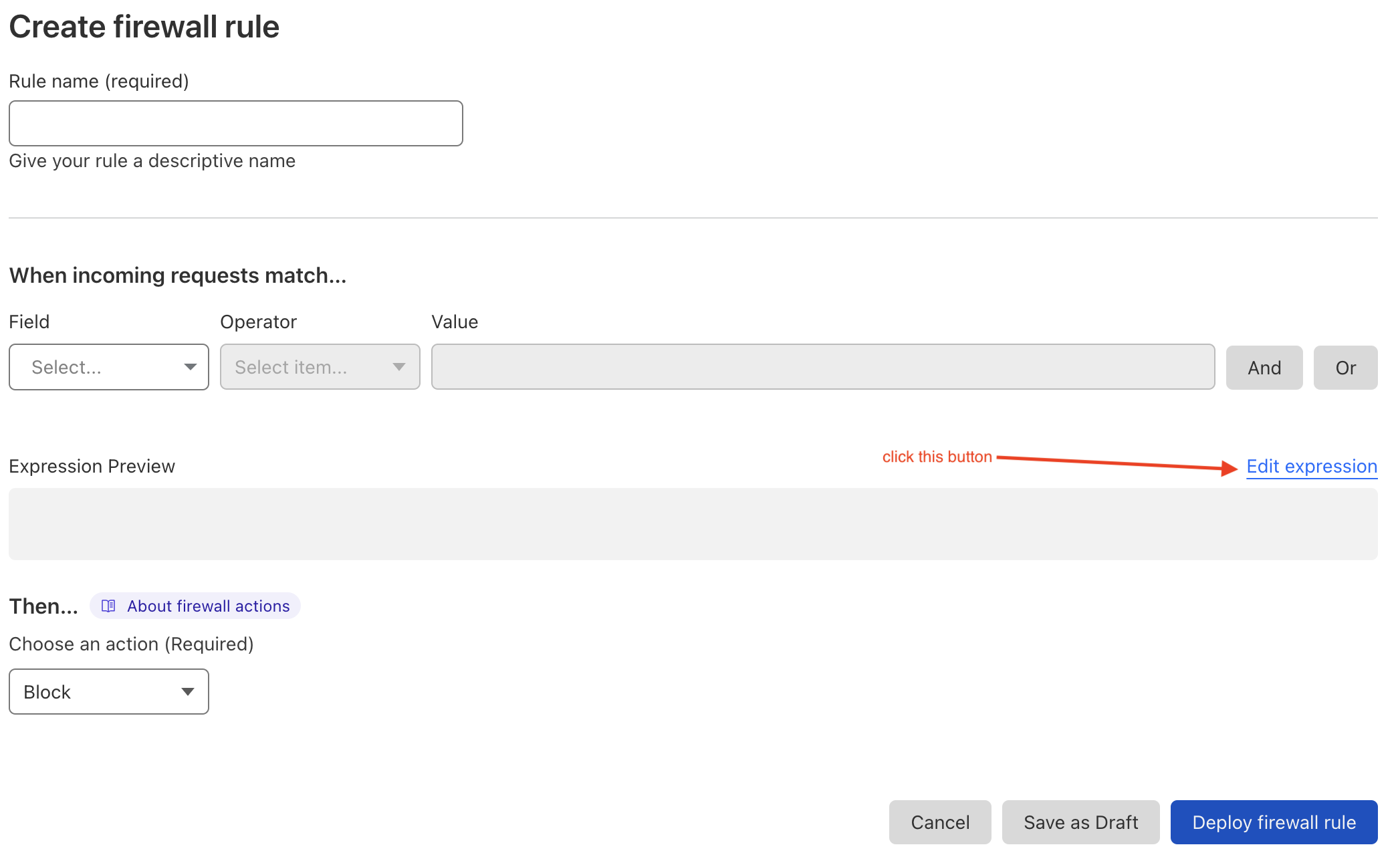
Create a custom rule in your Cloudflare WAF.- In the Cloudflare dashboard, go to Websites > Your website > Security > WAF > Custom rules.
- Click Create rule.
- Enter a name for the rule.
- Use the visual editor or click Edit expression to define the rule using the Rules language.
- Choose
Blockas the rule action. - Click Deploy.
Block requests from specific IP addresses
For example, to block IPs111.111.112.113, 114.112.222.33, and the entire 211.12.82.0/24 subnet for worker route /icXhT6JSJ2MhAdk6*, use this expression:
Block requests from specific origin and referer
For example, to block requests from example1.com for the same worker route, use this expression:
referer in addition to origin because some request types do not include the origin header.
See the Cloudflare rules language documentation for more details.
Cloudflare limitations
- Each rule expression can contain up to 4096 symbols
- The number of custom rules depends on your Cloudflare plan