

1. Verify configuration variables in AWS Secrets Manager
To function correctly, the Lambda function needs access to these configuration variables in your AWS Secrets Manager:FPJS_BEHAVIOR_PATHFPJS_PRE_SHARED_SECRET
2. Update the Lambda function
- Sign in to your AWS console.
- Go to AWS Lambda.
- Open your CloudFront integration lambda function, probably named fingerprint-pro-cloudfront-lambda-some-random-id.
- Scroll down to Code source.
-
Replace the content of
fingerprintjs-pro-cloudfront-lambda-function.jswith the latest Lambda code from the integration’s GitHub repository. Download the latest releasepackage.ziparchive, extract its content, and use thefingerprintjs-pro-cloudfront-lambda-function.jsfile. -
Click Deploy.
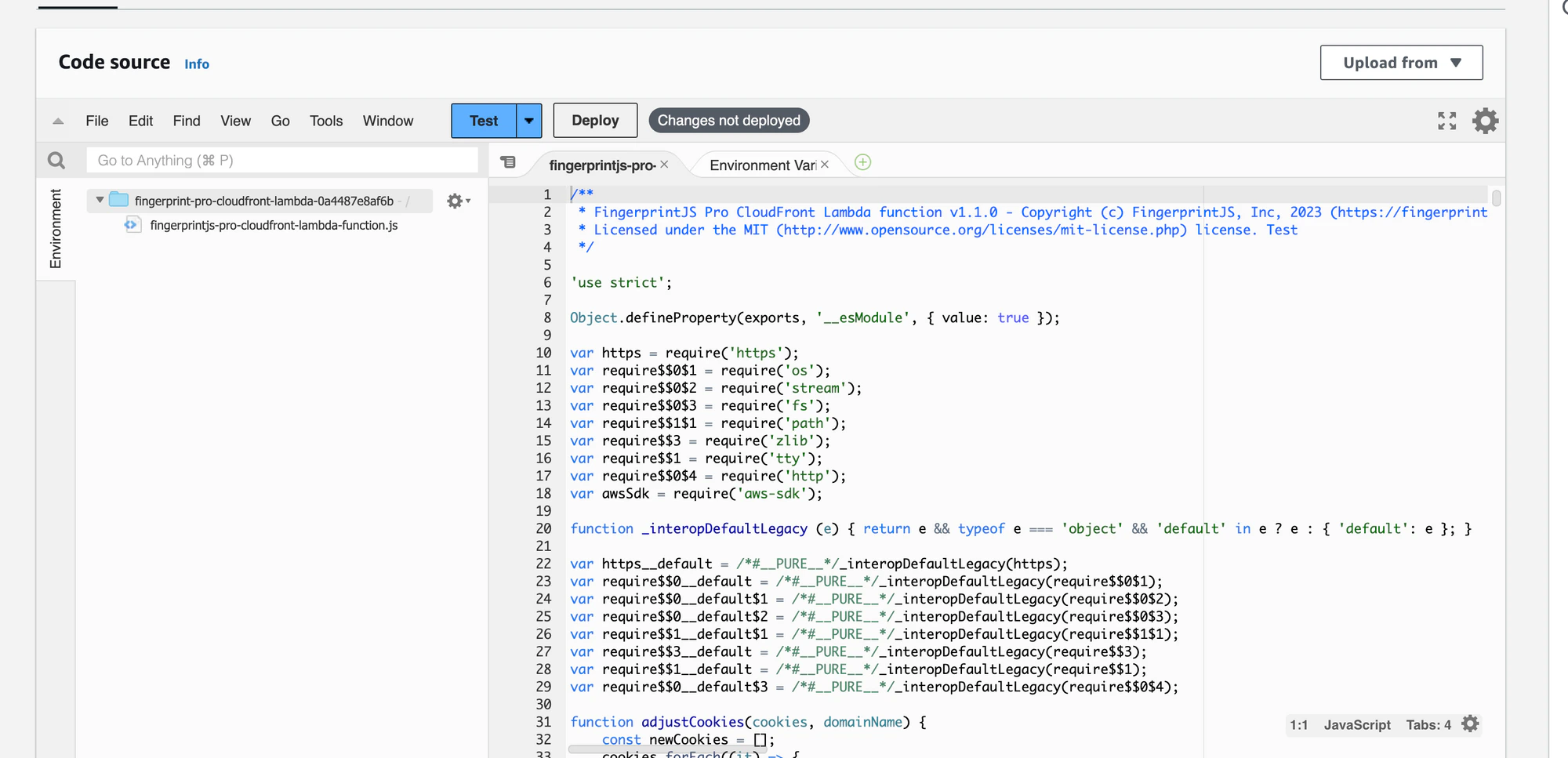
-
Scroll back up and click Actions → Deploy to Lambda@Edge.
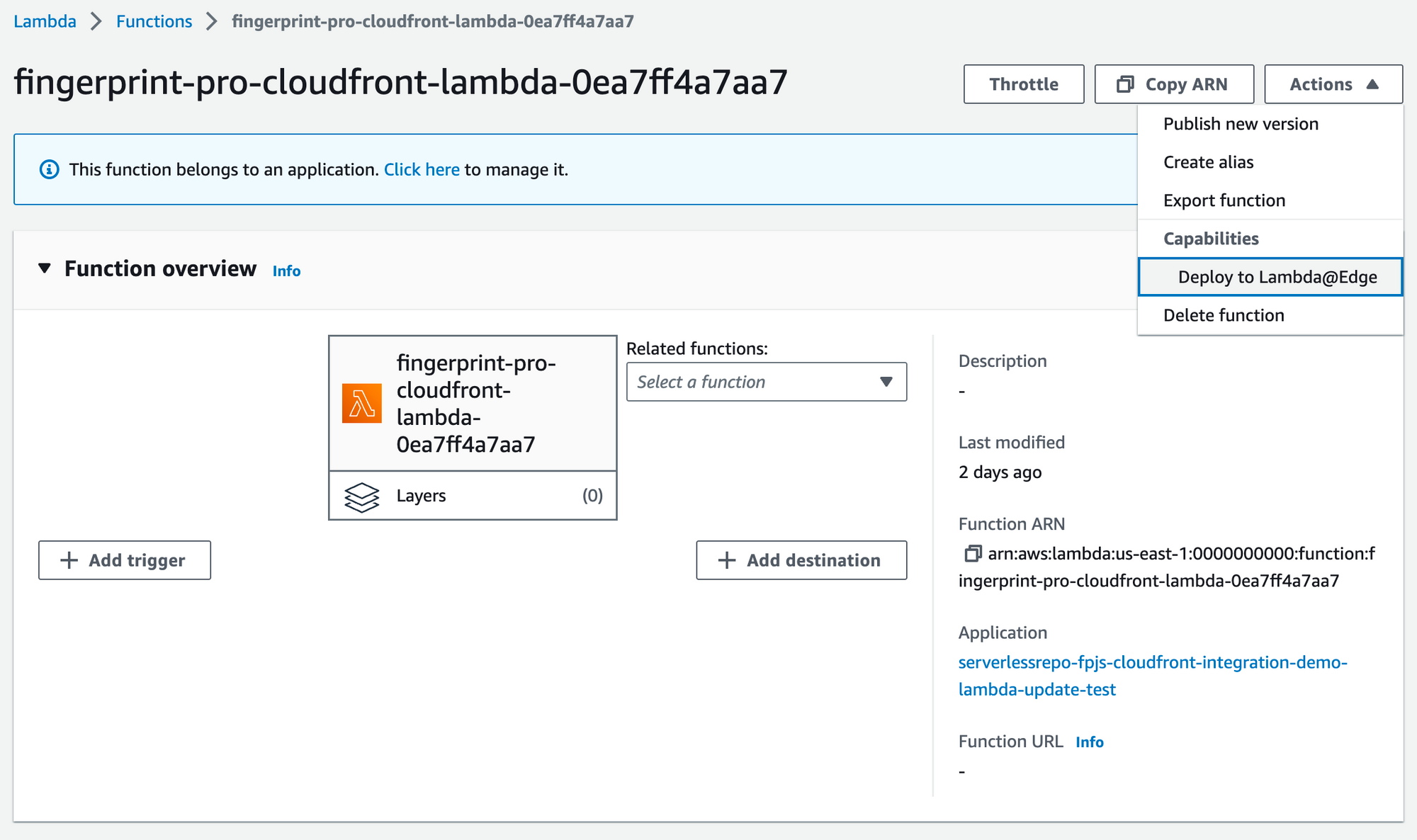
- Select Use existing CloudFront trigger on this function.
-
Select your existing trigger.
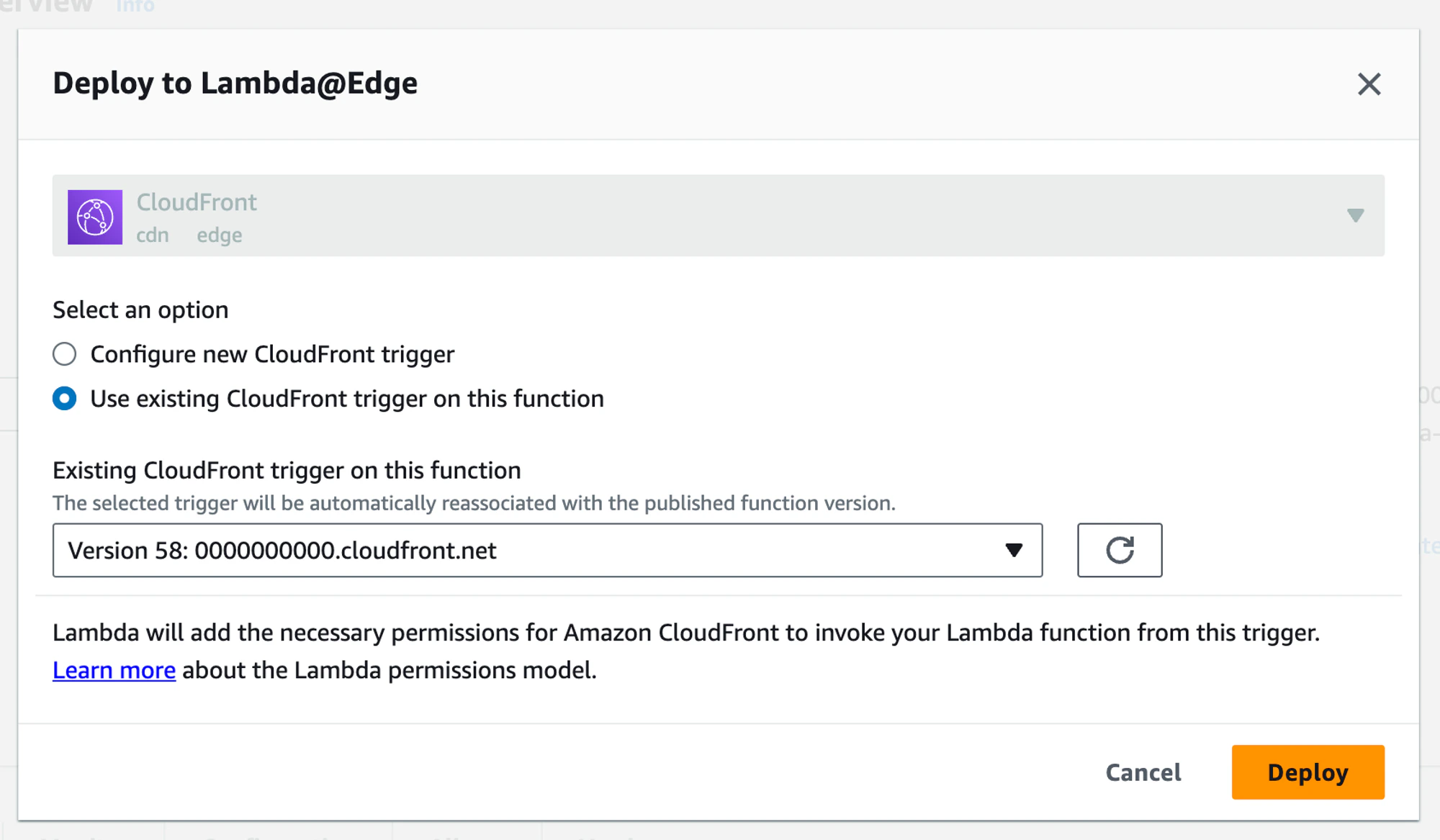
- Click Deploy.
https://yourwebsite.com/FPJS_BEHAVIOR_PATH/status to check that the function is running on the latest version and that all required configuration variables are set.