> ## Documentation Index
> Fetch the complete documentation index at: https://docs.fingerprint.com/llms.txt
> Use this file to discover all available pages before exploring further.
# Migrating from Server API v3 to v4
> Learn how to migrate your integration from the deprecated Server API v3 endpoints to the new, improved Server API v4. This guide covers endpoint changes, authentication updates, and best practices for a smooth transition.
We are dedicated to providing the best and cleanest APIs possible. Our existing [Server API](/reference/v3/server-api) (v3) and Webhooks formats had inconsistencies and legacy baggage from our rapid growth. That's why we are introducing a new major iteration of our Server API and Webhooks. Read on to learn about the most important changes.
## Server SDK compatibility for Server API v4
| Server SDK | Support status | Minimum version with v4 support |
| ----------------------------------------------------------------------------------- | -------------- | --------------------------------------------------------------------------------------------------- |
| [Node Server SDK](/reference/node-server-sdk#migration-guide-for-node-sdk-v7) | ✅ Supported | [v7.0.0+](https://github.com/fingerprintjs/node-sdk/releases/tag/%40fingerprint%2Fnode-sdk%407.0.0) |
| [Python Server SDK](/reference/python-server-sdk#migration-guide-for-python-sdk-v9) | ✅ Supported | [v9.0.0+](https://github.com/fingerprintjs/python-sdk/releases/tag/v9.0.0) |
| [Java Server SDK](/reference/java-server-sdk#migration-guide-for-java-sdk-v8) | ✅ Supported | [v8.0.0+](https://github.com/fingerprintjs/java-sdk/releases/tag/v8.0.0) |
| [.NET Server SDK](/reference/net-server-sdk#migration-guide-for-net-sdk-v8) | ✅ Supported | [v8.0.0+](https://github.com/fingerprintjs/dotnet-sdk/releases/tag/v8.0.0) |
| [PHP Server SDK](/reference/php-server-sdk#migration-guide-for-php-sdk-v7) | ✅ Supported | [v7.0.0+](https://github.com/fingerprintjs/php-sdk/releases/tag/v7.0.0) |
| [Go Server SDK](/reference/go-server-sdk#migration-guide-for-go-sdk-v8) | ✅ Supported | [v8.0.0+](https://github.com/fingerprintjs/go-sdk/releases/tag/v8.0.0) |
# What's new
* Removed excessive nesting in responses. Payloads are no longer nested under top-level `data` and `products`, including at individual Smart Signals level (removed `result`). This makes the format and generated documentation clearer and easier to consume.
* See [example V3 Event response](/reference/v3/server-api-get-event), [v3 OpenAPI schema](https://fingerprintjs.github.io/fingerprint-pro-server-api-openapi/schemas/fingerprint-server-api.yaml).
* See [example V4 Event response](/reference/server-api-get-event), [v4 full OpenAPI schema](https://fingerprintjs.github.io/fingerprint-pro-server-api-openapi/schemas/fingerprint-server-api-v4.yaml).
* Unified Webhooks and Server API (events format). All Server API responses now share the same data format described in our public documentation. [Sealed Client Results](/docs/sealed-client-results) use the same format with [JavaScript agent v4](/reference/js-agent).
* **Deprecated** the `/visitors` search endpoint in favor of `/v4/events` (which provides the same and more functionality). This legacy endpoint will be removed on **Oct 31, 2026**.
* Introduced more descriptive error codes and messages. Errors now include suggestions and links to relevant documentation where applicable.
* Removed the possibility of partial payloads when an internal service fails (previously it was possible to receive Identification data with Smart Signals errors). Unreliable partial responses are replaced with a clear error instead.
* Replaced the `Auth-Api-Key` header and `apiKey` parameter with the standard `Authorization: Bearer` header. Existing secret API keys work with this header without issues.
* Upgraded the OpenAPI version and started using an OpenAPI definition for Webhooks alongside the rest of the Server API documentation.
* Removed the `Retry-After` header as it did not work well with our rate limiting logic.
* Renamed `request_id` to `event_id`.
* Unified usage of `snake_case` across URLs and request/response payload fields.
# Migration Overview
**Deprecation Notice**
The [previous version of Server API](/reference/v3/server-api) was deprecated. If you still use this version, follow this guide to migrate from this deprecated version to the new one. The [one year deprecation period](/reference/api-deprecation-policy#one-year-migration-period) will start after the entire ecosystem supports API v4.
| v3 endpoint | v4 endpoint | action |
| ---------------------- | -------------------------- | ------------------------------------------------------ |
| `GET /visitors` | `GET /v4/events` | migrate to `GET /v4/events` |
| `GET /events` | `GET /v4/events/:event_id` | migrate to `GET /v4/events/:event_id` |
| `PUT /events` (update) | `PATCH /v4/event` | migrate to `PATCH /v4/event` |
| `GET /events/search` | `GET /v4/events` | migrate to `GET /v4/events` |
| Webhooks v3 | Webhooks v4 | configure new webhooks via Dashboard or Management API |
# How to migrate from v3 to v4
Migration needs depend on which deprecated endpoints you are using. If you are not using Server API or Webhooks, there is nothing to migrate today. For JavaScript agent changes, see [Migrating JavaScript agent from v3 to v4](/reference/migrating-from-v3-to-v4).
## Migrating GET /visitors
The `GET /visitors` endpoint is fully replaced by `/v4/events`, which is an extended version of the v3 `/events/search` endpoint.
* In `v4`, use filters such as `visitor_id`, `linked_id`, `suspect`, `start`, and `end` to get the same results.
* Latency differences: `/visitors` had latency independent of event age. In `/v4/events`, most recent events (≤24h) are served from cache and are very fast. Older events may take longer to load from archival storage.
* To minimize latency, always pass a time window with `start` and `end`.
```bash v3 (/visitors) to v4 (/v4/events) theme={"theme":"github-dark-dimmed"}
curl --request GET \
--url "https://api.fpjs.io/v4/events?start=1725148800&end=1727731199" # [!code ++]
--url "https://api.fpjs.io/visitors?limit=100" # [!code --]
--header 'Accept: application/json' \
--header 'Authorization: Bearer SECRET_API_KEY' # [!code ++]
--header 'Auth-Api-Key: SECRET_API_KEY' # [!code --]
```
## Migrating GET /events
The current version of `GET /events` uses the old nested event format and the old `Auth-Api-Key` header. To migrate to the new `/v4/event` endpoint, you have to
1. Start using the `Authorization: Bearer SECRET_API_KEY` header for authorization
2. Migrate to the new format, either by using our Server SDKs or adopting the model to the v4 [specification](/reference/server-api-get-event)
## Migrating GET /events/search
The current version of `GET /events/search` uses the old nested event format and the old `Auth-Api-Key` header. To migrate to the new `/v4/events` endpoint, you have to
1. Start using the `Authorization: Bearer SECRET_API_KEY` header for authorization
2. Migrate to the new format, either by using our Server SDKs or adopting the model to the v4 [specification](/reference/server-api-search-events)
## Migrating UPDATE /events
The update operation remains conceptually the same, but method, path, auth header, and some field names have changed.
1. Exchange the `Auth-Api-Key: SECRET_API_KEY` header for `Authorization: Bearer SECRET_API_KEY`
2. Change the method from `PUT` to `PATCH`
3. Update the path to `/v4/events/:event_id`
4. Rename fields to `snake_case` (e.g., `linkedId` -> `linked_id`)
5. (optional) Check the documentation for new error codes and adapt your implementation to handle them
```bash v3 to v4 theme={"theme":"github-dark-dimmed"}
curl --request PATCH # [!code ++]
curl --request PUT # [!code --]
--url https://api.fpjs.io/v4/events/:event_id # [!code ++]
--url https://api.fpjs.io/events # [!code --]
--header 'Accept: application/json' \
--header 'Content-type: application/json' \
--header 'Authorization: Bearer SECRET_API_KEY' # [!code ++]
--header 'Auth-Api-Key: SECRET_API_KEY' # [!code --]
--data '
{
"linked_id": "" [!code ++]
"linkedId": "" [!code --]
}'
```
## Migrating Webhooks
Webhooks v4 follow the same format as `/v4/events`, so you can reuse most of the code used with other Server API endpoints.
* See [v3 legacy webhook payload](/docs/webhooks#legacy-webhook-payload)
* See [v4 webhook payload](/reference/posteventwebhook)
You can manage both new and legacy Webhooks in the Dashboard. To migrate your legacy webhook to v4, you need to re-create it, and then delete the legacy webhook.
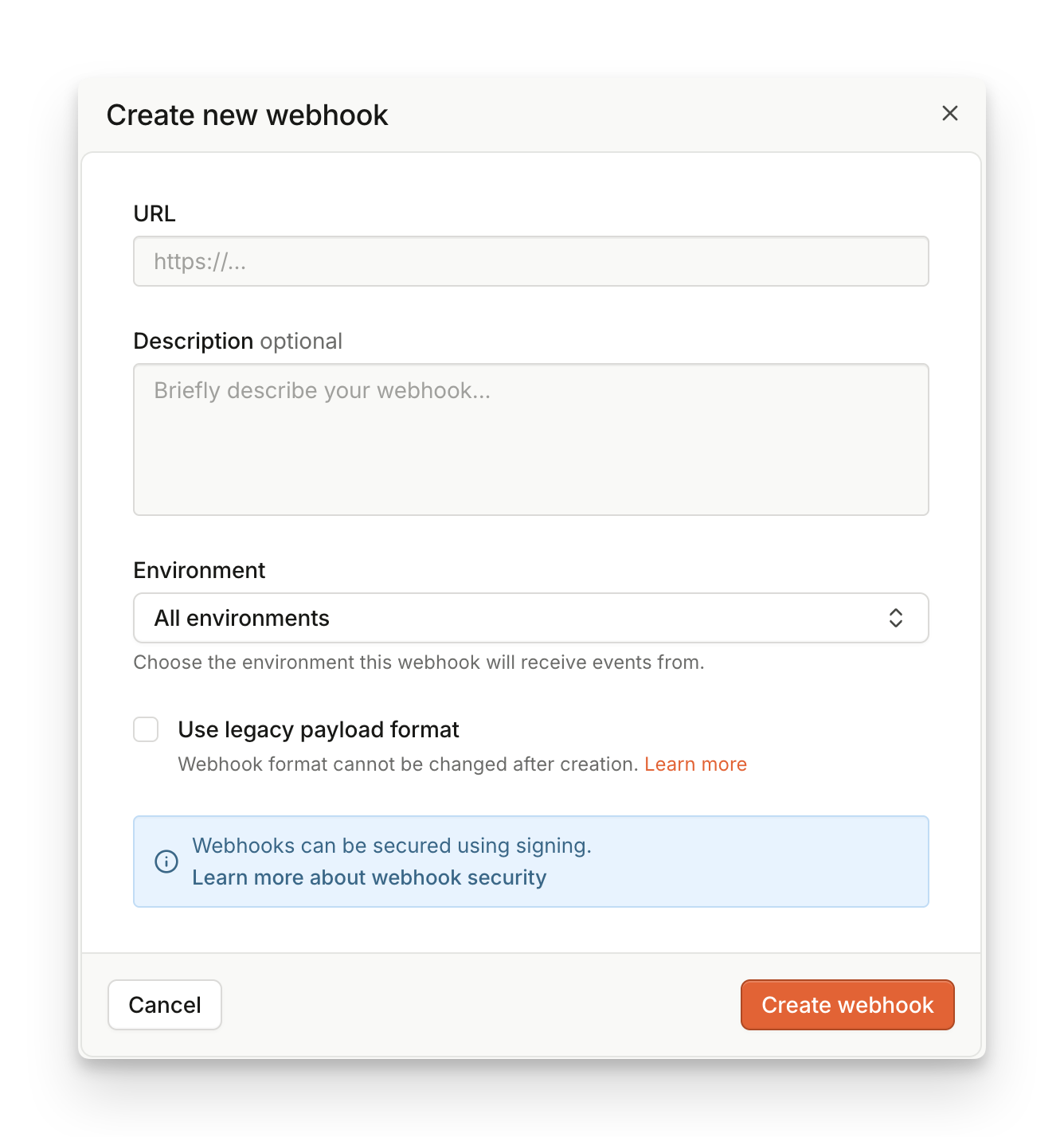 Alternatively, you can create Webhooks v4 via Management API. Follow this basic example to create a Webhook:
```bash Create v4 Webhook theme={"theme":"github-dark-dimmed"}
curl --request POST \
--url https://management-api.fpjs.io/webhooks \
--header 'Accept: application/json' \
--header 'Content-type: application/json' \
--header 'Authorization: Bearer SECRET_API_KEY' \
--data '
{
"url": "https://example.com",
"description": "My example v4 webhook",
"status": "enabled"
}'
```
Review the Management API documentation on [Webhooks](/reference/webhookscontroller_findallv2/) for more detail about how to manage webhooks.
### Set up the old and the new webhook side by side
We recommend setting up a new webhook alongside the old one. Create a new webhook through the Management API mentioned above, integrate it, test that it delivers the new information correctly, and then remove the old one without any loss of data.
Alternatively, you can create Webhooks v4 via Management API. Follow this basic example to create a Webhook:
```bash Create v4 Webhook theme={"theme":"github-dark-dimmed"}
curl --request POST \
--url https://management-api.fpjs.io/webhooks \
--header 'Accept: application/json' \
--header 'Content-type: application/json' \
--header 'Authorization: Bearer SECRET_API_KEY' \
--data '
{
"url": "https://example.com",
"description": "My example v4 webhook",
"status": "enabled"
}'
```
Review the Management API documentation on [Webhooks](/reference/webhookscontroller_findallv2/) for more detail about how to manage webhooks.
### Set up the old and the new webhook side by side
We recommend setting up a new webhook alongside the old one. Create a new webhook through the Management API mentioned above, integrate it, test that it delivers the new information correctly, and then remove the old one without any loss of data.