> ## Documentation Index
> Fetch the complete documentation index at: https://docs.fingerprint.com/llms.txt
> Use this file to discover all available pages before exploring further.
# Roles & permissions
Any user of the Fingerprint Dashboard can only have access to one account. Within that account, access to multiple workspaces is determined by the account owners based on access preferences and user permissions.
To invite team members and manage their access, navigate to **Settings** > [**Team members**](https://dashboard.fingerprint.com/settings/users).
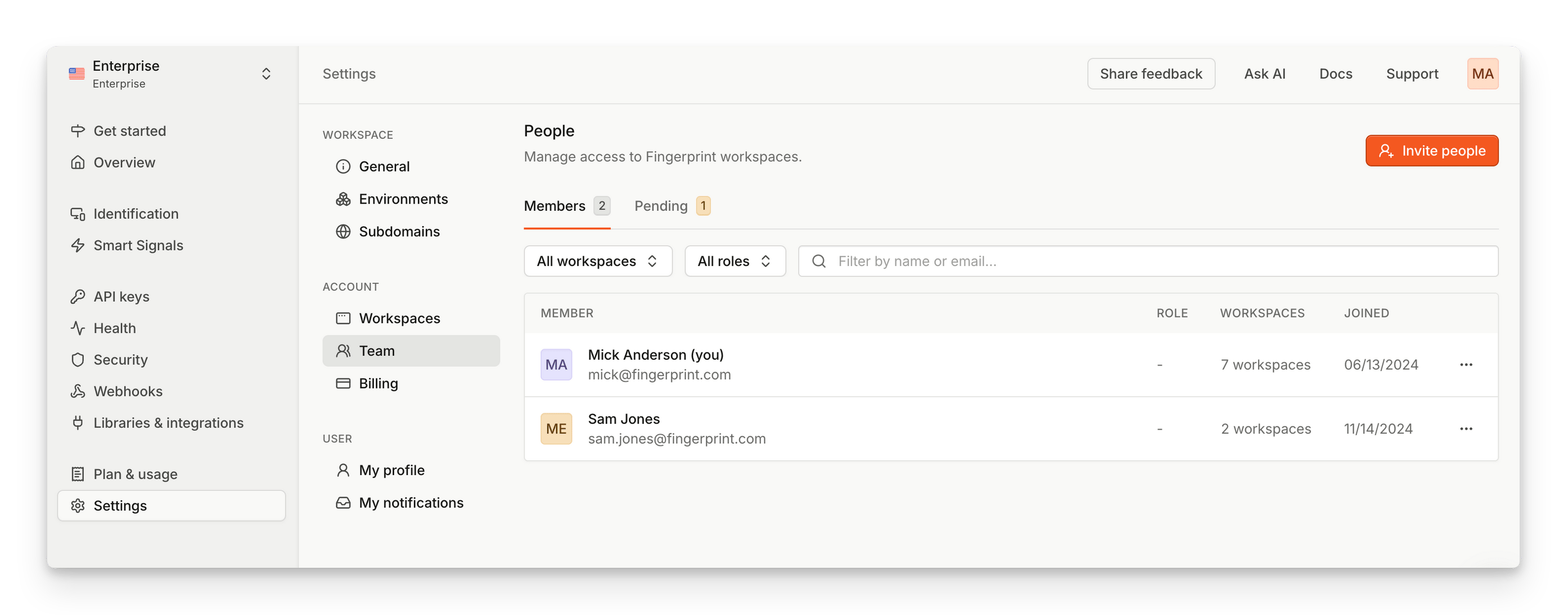 ## Team Roles
Account administrators or team managers can invite other people to join the team and access the Fingerprint account.
When inviting a team member, you select their role. Standard roles include:
* **Viewer** - Read-only access on your account. Can view analytics and configuration resources on all workspaces.
* **Editor** - Edit access on your account. Can manage analytics and configuration resources on all workspaces.
* **Billing Admin** - Manages account-wide billing options, but no access to any workspace-specific resources.
* **Administrator** - Full unrestricted access.
## Granular Permissions
You have the ability to fine tune user access by customizing both account permissions, and permissions for each workspace.
## Team Roles
Account administrators or team managers can invite other people to join the team and access the Fingerprint account.
When inviting a team member, you select their role. Standard roles include:
* **Viewer** - Read-only access on your account. Can view analytics and configuration resources on all workspaces.
* **Editor** - Edit access on your account. Can manage analytics and configuration resources on all workspaces.
* **Billing Admin** - Manages account-wide billing options, but no access to any workspace-specific resources.
* **Administrator** - Full unrestricted access.
## Granular Permissions
You have the ability to fine tune user access by customizing both account permissions, and permissions for each workspace.
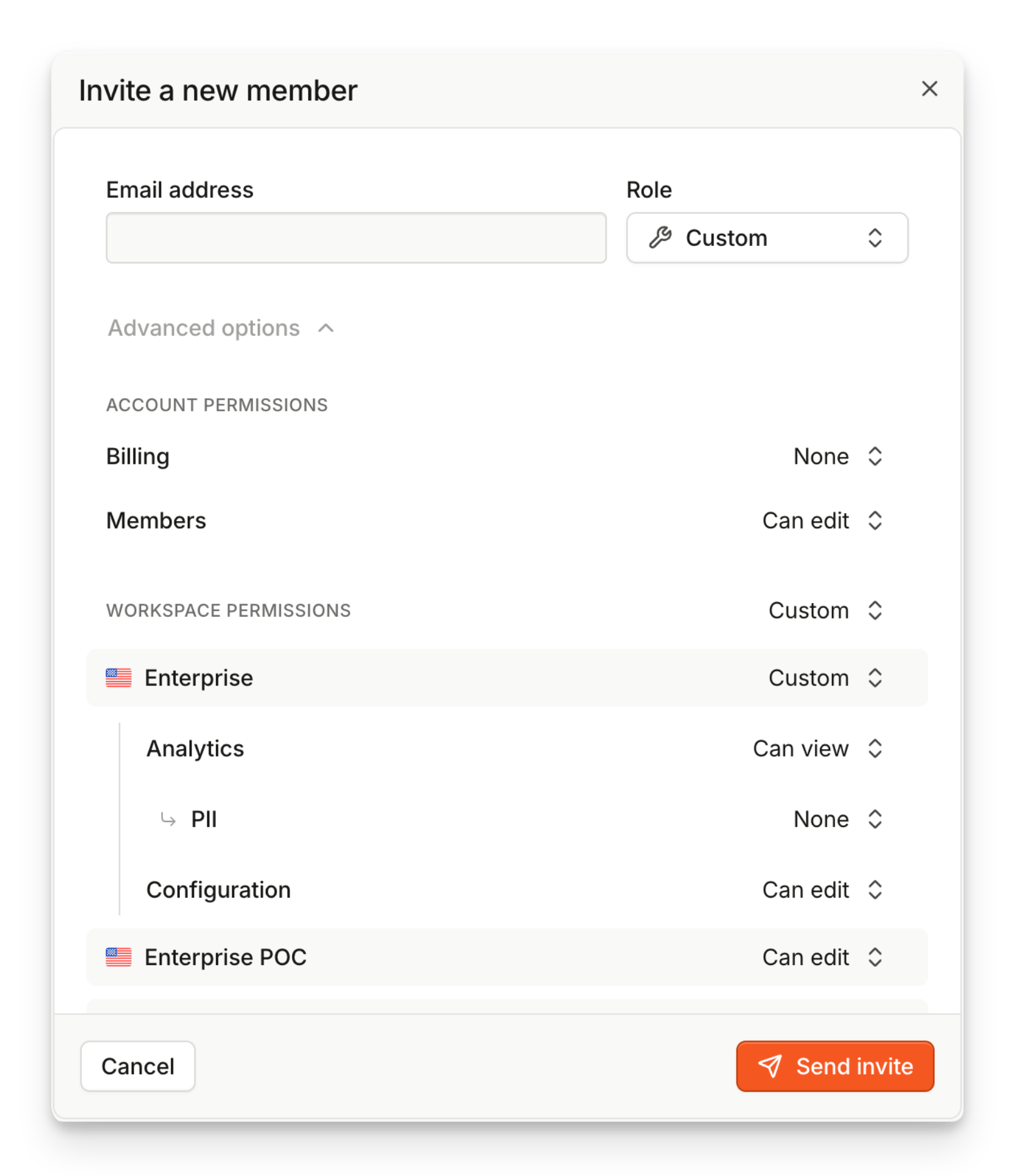 For most permissions you can set them as **None**, **View**, or **Edit**.
* **None** - no access to specified features or resources
* **View** - read-only access to specified features or resources
* **Edit** - full managing access to specified features or resources
Reference of available granular permissions and their settings:
| Scope | Permission | None | View | Edit |
| --------- | ---------------------------------------- | ------------------------------------ | -------------------------------------------------------------------- | ----------------------------------------------------------------- |
| Account | **Billing** | Can't view billing information | Can view billing information | Can manage billing information, payment methods, and plan options |
| Account | **Members** | Can't view team members | Can view team members | Can invite members and manage their permissions |
| Workspace | [**Analytics**](/docs/analytics) | No access to analytics | View access to analytical pages | View access + ability to manage *Suspect Score* |
| Workspace | [**Configuration**](/docs/configuration) | No access to configuration resources | View access to configuration resources | Managing access to configuration resources |
| Workspace | **PII** | Can't view PII | Visible IP address, country, and other data derived from geolocation | - |
For most permissions you can set them as **None**, **View**, or **Edit**.
* **None** - no access to specified features or resources
* **View** - read-only access to specified features or resources
* **Edit** - full managing access to specified features or resources
Reference of available granular permissions and their settings:
| Scope | Permission | None | View | Edit |
| --------- | ---------------------------------------- | ------------------------------------ | -------------------------------------------------------------------- | ----------------------------------------------------------------- |
| Account | **Billing** | Can't view billing information | Can view billing information | Can manage billing information, payment methods, and plan options |
| Account | **Members** | Can't view team members | Can view team members | Can invite members and manage their permissions |
| Workspace | [**Analytics**](/docs/analytics) | No access to analytics | View access to analytical pages | View access + ability to manage *Suspect Score* |
| Workspace | [**Configuration**](/docs/configuration) | No access to configuration resources | View access to configuration resources | Managing access to configuration resources |
| Workspace | **PII** | Can't view PII | Visible IP address, country, and other data derived from geolocation | - |