> ## Documentation Index
> Fetch the complete documentation index at: https://docs.fingerprint.com/llms.txt
> Use this file to discover all available pages before exploring further.
# Network request filtering
> Filter unwanted traffic based on a list of source IP addresses
Some unwanted traffic can be identified based on a set of IP addresses. Typical examples can be short-lived bot attacks or exclusion of testing requests.
## Configuration
To filter requests by an **IP address** (or **IP address ranges**):
1. Navigate to the **[Security](https://dashboard.fingerprint.com/traffic-rules)** > **Network** tab.
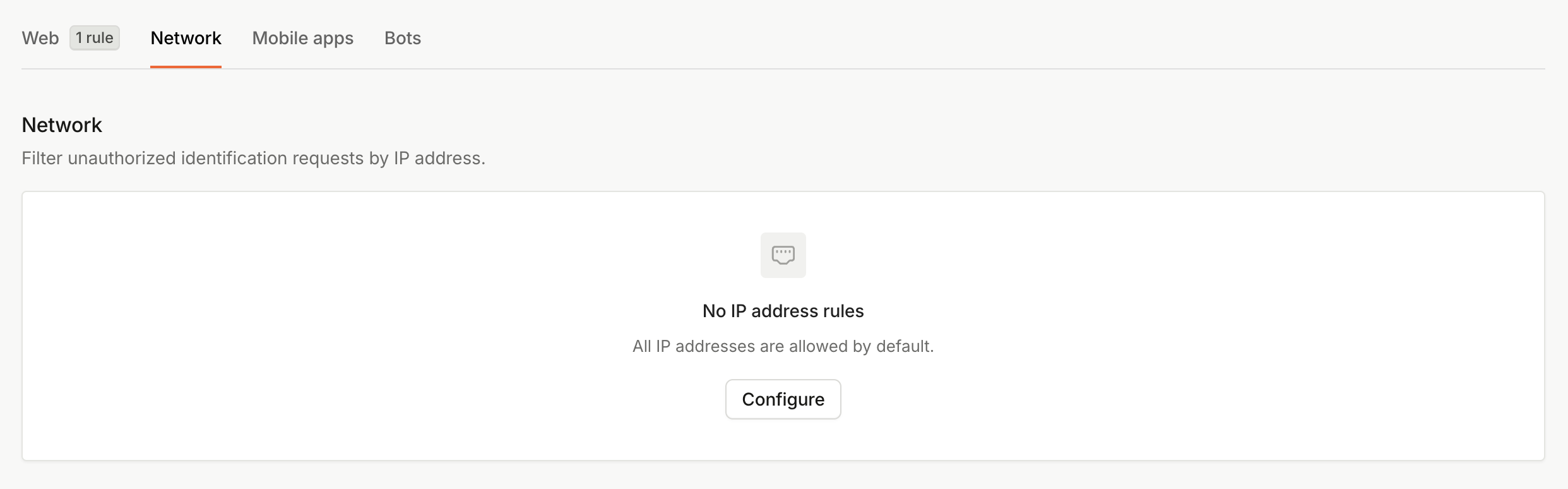 2. Under **No IP address rules**, click **Configure**.
3. To create an IP *Blocklist*, set **Default behavior** to `Allow all besides the IP addresses listed below`. Then fill in the **Exceptions** field with your list of blocked IP addresses.
2. Under **No IP address rules**, click **Configure**.
3. To create an IP *Blocklist*, set **Default behavior** to `Allow all besides the IP addresses listed below`. Then fill in the **Exceptions** field with your list of blocked IP addresses.
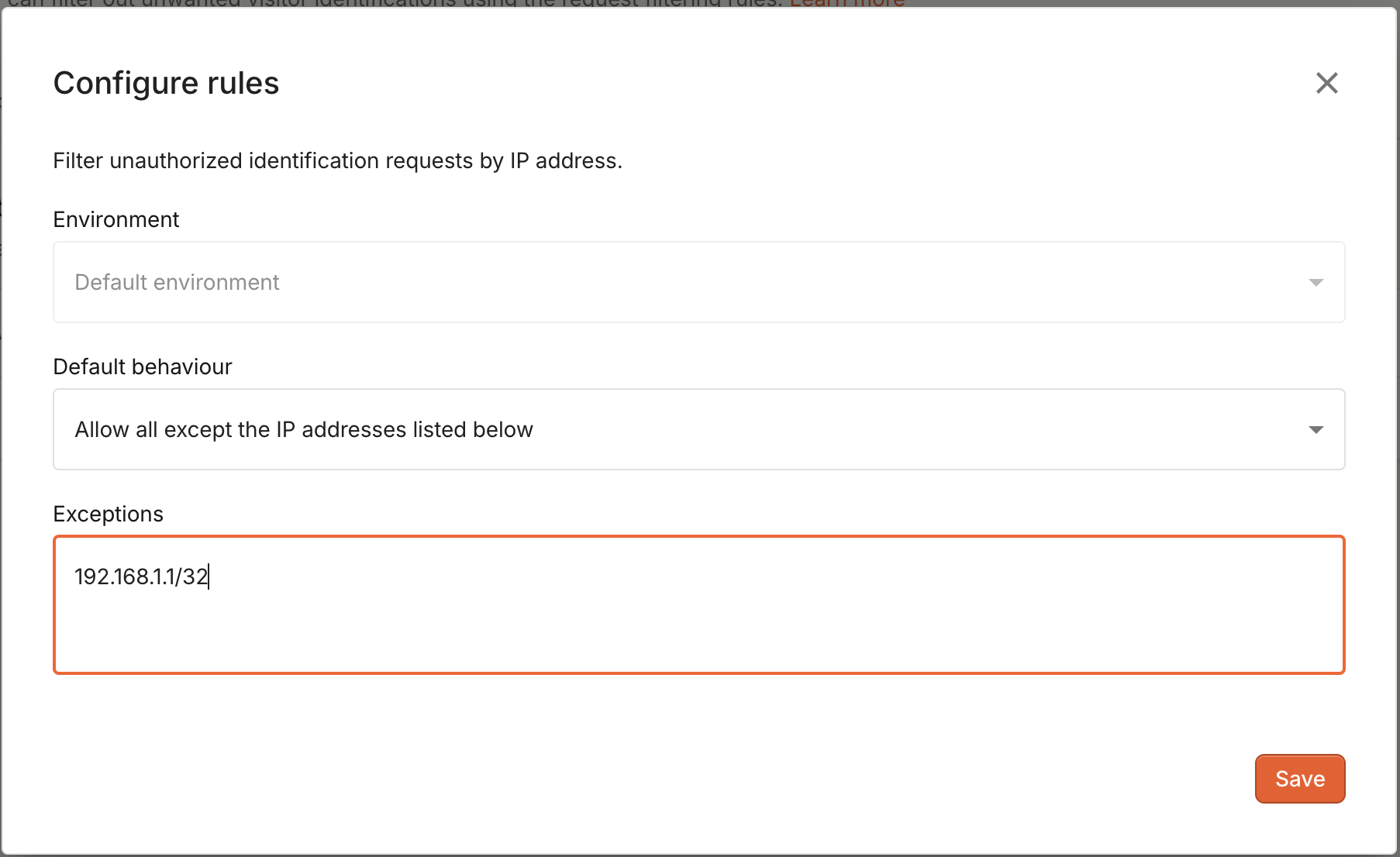 4. Click **Save**.
## IP address format
The configuration accepts both single IP addresses in the form of `192.168.1.1/32` and IP address ranges defined by their [CIDR representation](https://en.wikipedia.org/wiki/Classless_Inter-Domain_Routing#CIDR_notation) (e.g. `192.168.1.1/16`).
4. Click **Save**.
## IP address format
The configuration accepts both single IP addresses in the form of `192.168.1.1/32` and IP address ranges defined by their [CIDR representation](https://en.wikipedia.org/wiki/Classless_Inter-Domain_Routing#CIDR_notation) (e.g. `192.168.1.1/16`).