> ## Documentation Index
> Fetch the complete documentation index at: https://docs.fingerprint.com/llms.txt
> Use this file to discover all available pages before exploring further.
# Request filtering for mobile apps
To prevent malicious actors from misusing your public API key, you can [filter out unwanted identification requests](/docs/request-filtering). These requests are not billed and will receive an error instead of the identification result.
This page covers filtering requests made from mobile apps. You can filter requests by mobile app **package name** (Android) or **bundle ID** (iOS). To block requests from web browsers, see [Request filtering for websites](/docs/request-filtering-for-websites).
**Availability**
Filtering requests from mobile app requires [Android SDK v2.4.0+](https://github.com/fingerprintjs/fingerprintjs-pro-android/releases/tag/v2.4.0) and [iOS SDK v2.4.0+](https://github.com/fingerprintjs/fingerprintjs-pro-ios/releases/tag/2.4.0)
## Configuration
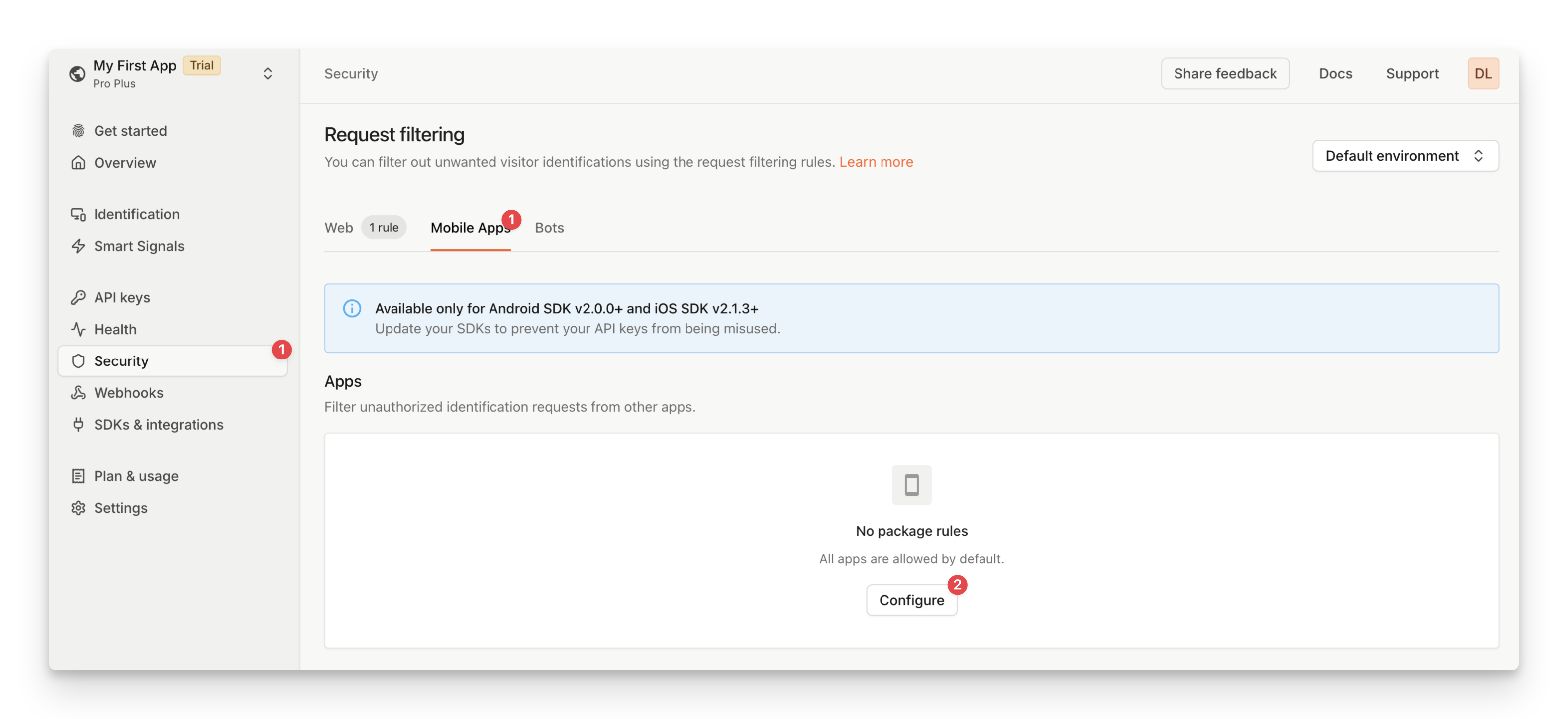
You can create mobile request filtering rules from the Fingerprint dashboard by specifying the *package names* (Android) or *bundle IDs* (iOS) of the blocked or allowed applications.
1. Navigate to the **Dashboard** > **[Security](https://dashboard.fingerprint.com/traffic-rules)** > **Mobile Apps**.
2. Click **Configure**.
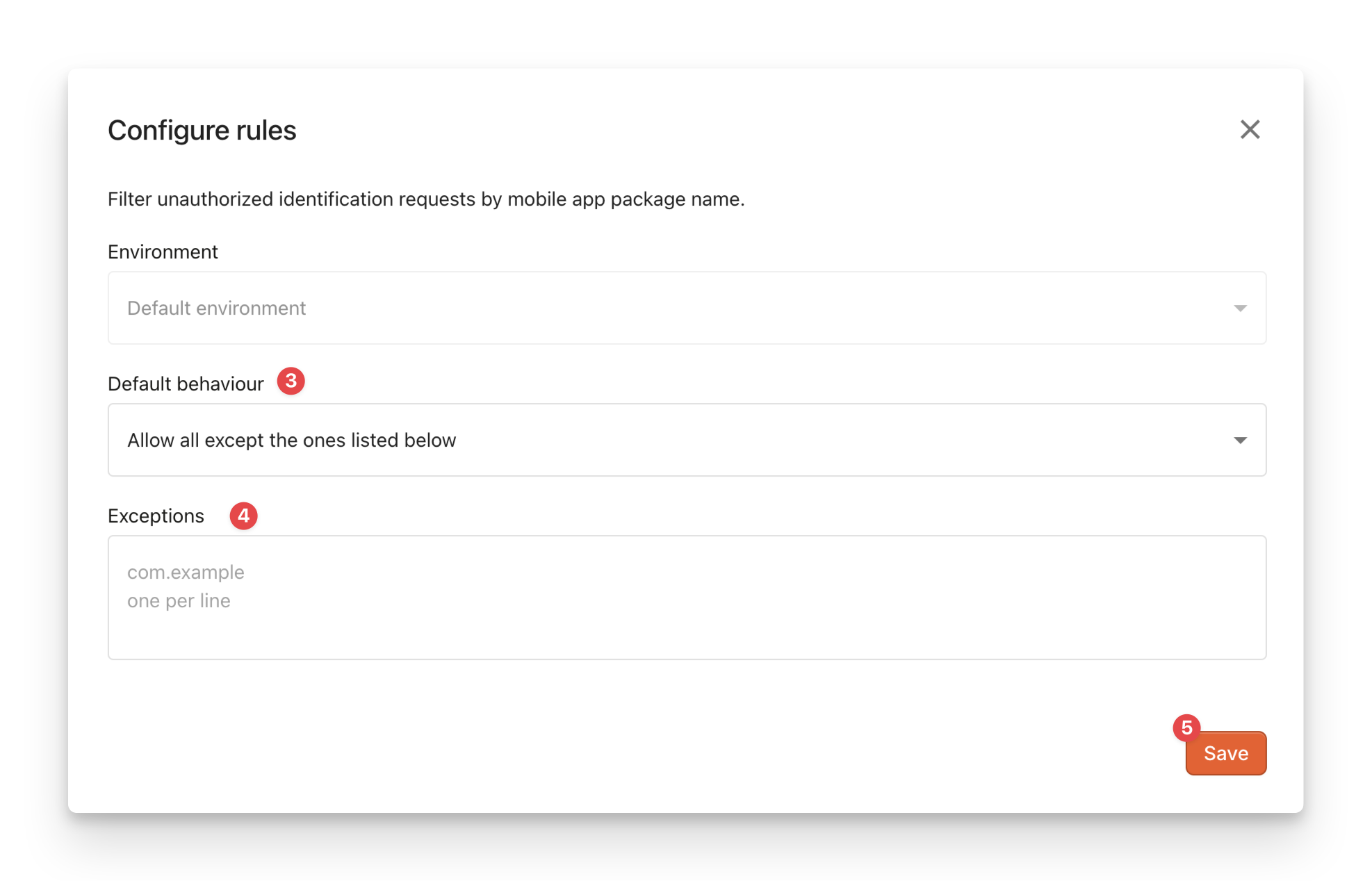
3. Choose the **Default behavior**:
1. `Allow all except the ones listed below`: Fingerprint will **block the specified apps** from making identification requests. Requests from all other apps will be allowed.
2. `Forbid all except the ones listed below`: Fingerprint will **allow only the specified apps** to make identification requests. Requests from all other apps will be blocked.
4. Fill in the **Exceptions** with the package names (Android) or bundle IDs (iOS) of the mobile app you want to allow or block. Wild cards are accepted.
5. Click **Save**.
 ## Error handling
Filtered-out requests are not billed and will receive a `PackageNotAuthorized`error instead of the identification result.
For more information on handling errors, see [Handling errors in Android SDK](/docs/android-sdk#handling-errors) and [Handling errors in the iOS SDK](/docs/ios-sdk#handling-errors).
## Error handling
Filtered-out requests are not billed and will receive a `PackageNotAuthorized`error instead of the identification result.
For more information on handling errors, see [Handling errors in Android SDK](/docs/android-sdk#handling-errors) and [Handling errors in the iOS SDK](/docs/ios-sdk#handling-errors).