> ## Documentation Index
> Fetch the complete documentation index at: https://docs.fingerprint.com/llms.txt
> Use this file to discover all available pages before exploring further.
# Audit logs
The Dashboard provides an audit log of changes made to workspace resources: what was changed, by whom, and when. This helps you trace configuration changes, troubleshoot issues, and support compliance reporting.
### Activity overview
The audit log lives on the Activity page in Settings.
To check it out, visit **Dashboard** > **Settings** > [**Activity**](https://dashboard.fingerprint.com/audit-log).
The Activity page is only accessible to team members with the **admin** role.
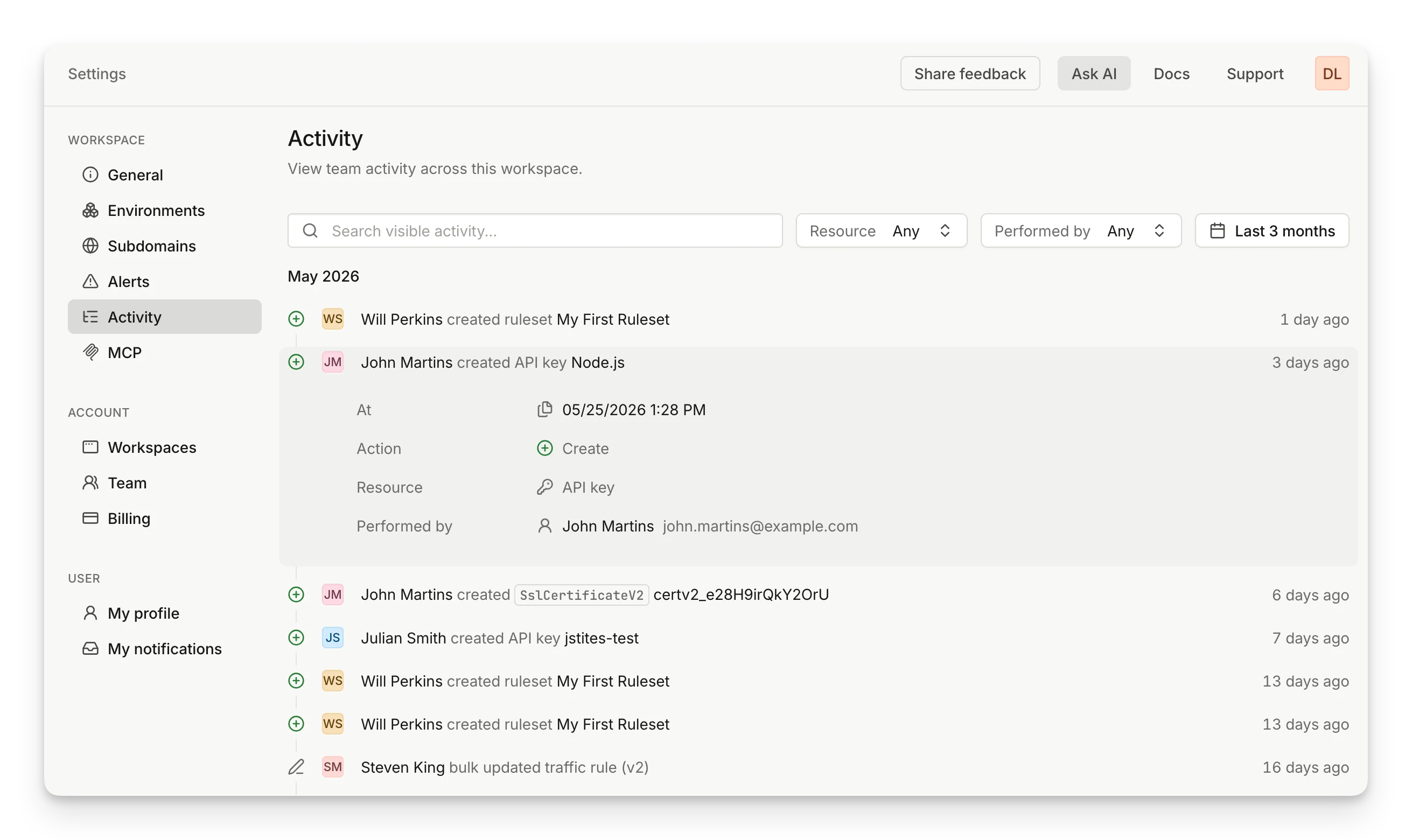 Activity is listed in reverse chronological order, grouped by month. Each entry shows:
* **Who** performed the action - a team member or an automated system action.
* **What** was done - the action taken and the resource affected.
* **When** it happened - relative to now.
### Inspecting an event
Click an event to expand it and see the full details:
* **At** - the exact timestamp.
* **Action** - the type of change (Create, Update, Delete, etc.).
* **Resource** - the resource type that was affected (API key, Ruleset, Webhook, Environment, etc.).
* **Performed by** - the user (with email) or system that initiated the change.
### Filtering
To find specific events, use the filters at the top of the Activity page:
* **Search** - full-text search across event descriptions, resource names, and performer names.
* **Resource** - filter by resource type.
* **Performed by** - filter by a specific team member or system source.
* **Date range** - narrow the time window down to a specific window of dates and times.
Activity is listed in reverse chronological order, grouped by month. Each entry shows:
* **Who** performed the action - a team member or an automated system action.
* **What** was done - the action taken and the resource affected.
* **When** it happened - relative to now.
### Inspecting an event
Click an event to expand it and see the full details:
* **At** - the exact timestamp.
* **Action** - the type of change (Create, Update, Delete, etc.).
* **Resource** - the resource type that was affected (API key, Ruleset, Webhook, Environment, etc.).
* **Performed by** - the user (with email) or system that initiated the change.
### Filtering
To find specific events, use the filters at the top of the Activity page:
* **Search** - full-text search across event descriptions, resource names, and performer names.
* **Resource** - filter by resource type.
* **Performed by** - filter by a specific team member or system source.
* **Date range** - narrow the time window down to a specific window of dates and times.